

What is MeeshoFlow, the Meesho auto listing tool?
MeeshoFlow is the Meesho part of EvoFlow, which runs inside the Evolution Edge desktop app for Windows. It is a Meesho autolisting tool built for Meesho suppliers who are tired of filling the same Add Catalog form again and again.
Most Meesho autofill tools replay a profile you saved once. MeeshoFlow's Auto Fire looks at the product photos instead, so every product gets its own title, category and attributes.
It fills the form — it never posts by itself. You stay in control of what goes live on Meesho.
Can MeeshoFlow do Meesho bulk listing?
Yes. MeeshoFlow is a Meesho bulk listing tool: fill one listing with Auto Fire (or capture it from your panel), then create up to 10 copies of it in a single run, each with its own non-identical title and description. It fills your own logged-in Meesho supplier panel — no Excel sheet, no API key — and you still press submit.
Up to 10 copies per run
One copy per run on Free; up to 10 on Business Premium and Business Bonanza.
Variations in bulk
Each variation needs only its own photo — Meesho copies Product 1's details across the catalog.
Capture All + bulk export
Business Bonanza captures every live Meesho listing at once and exports them, or converts them for Flipkart.
How does Meesho auto listing work?
From product photos to a filled Meesho listing in 3 steps
Add your product photos
Drop your product shots into EvoFlow. They are resized on your own computer before anything is sent.
Press Auto Fire
AI reads the photos and fills the title, brand, category, description, MRP, price, stock, SKU, GST %, HSN, weight and size.
Review, fill the panel, submit
Every field stays editable. One click fills your logged-in Meesho supplier panel — you check it and press submit yourself.
See the Meesho auto listing tool in action
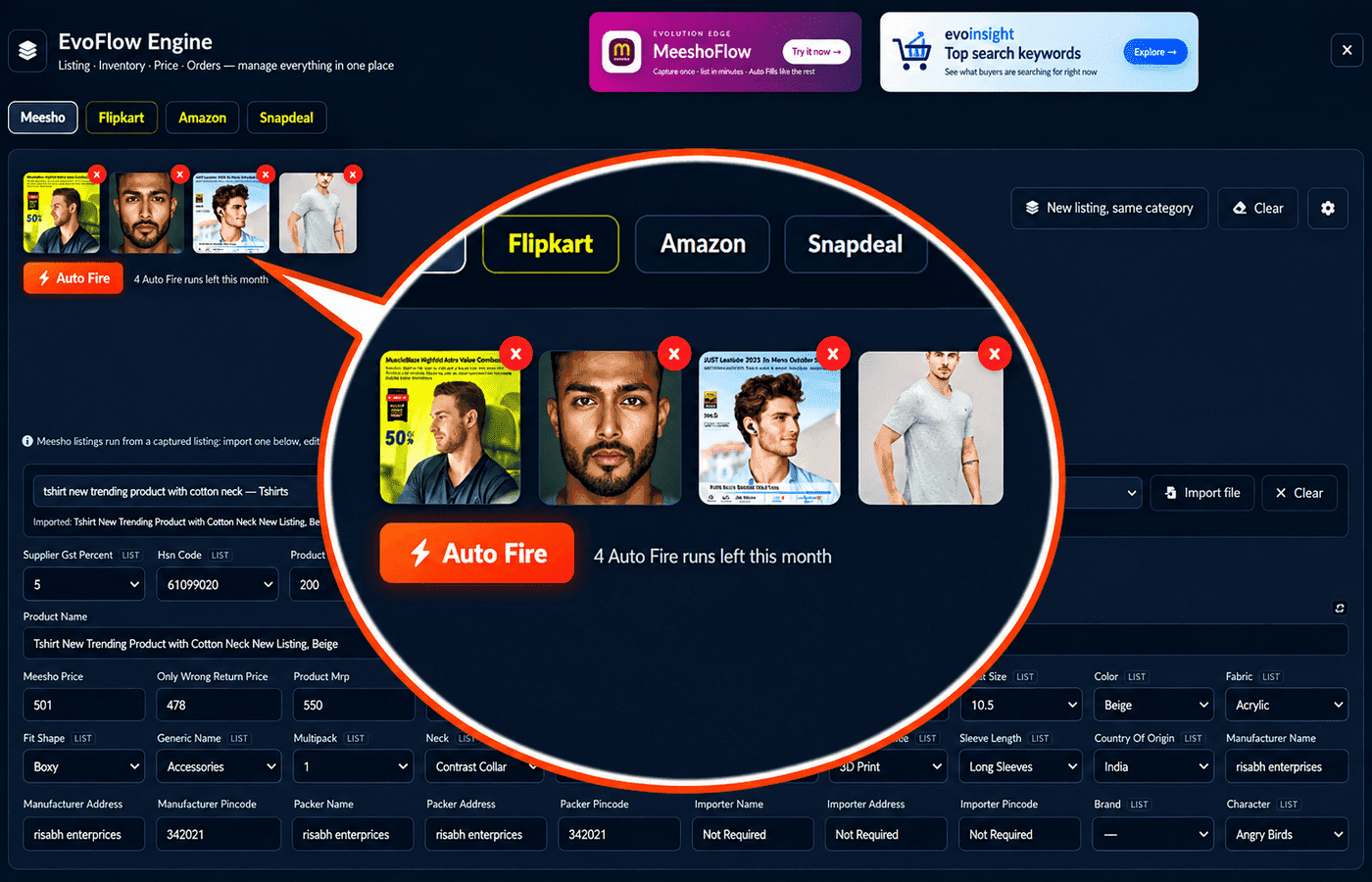
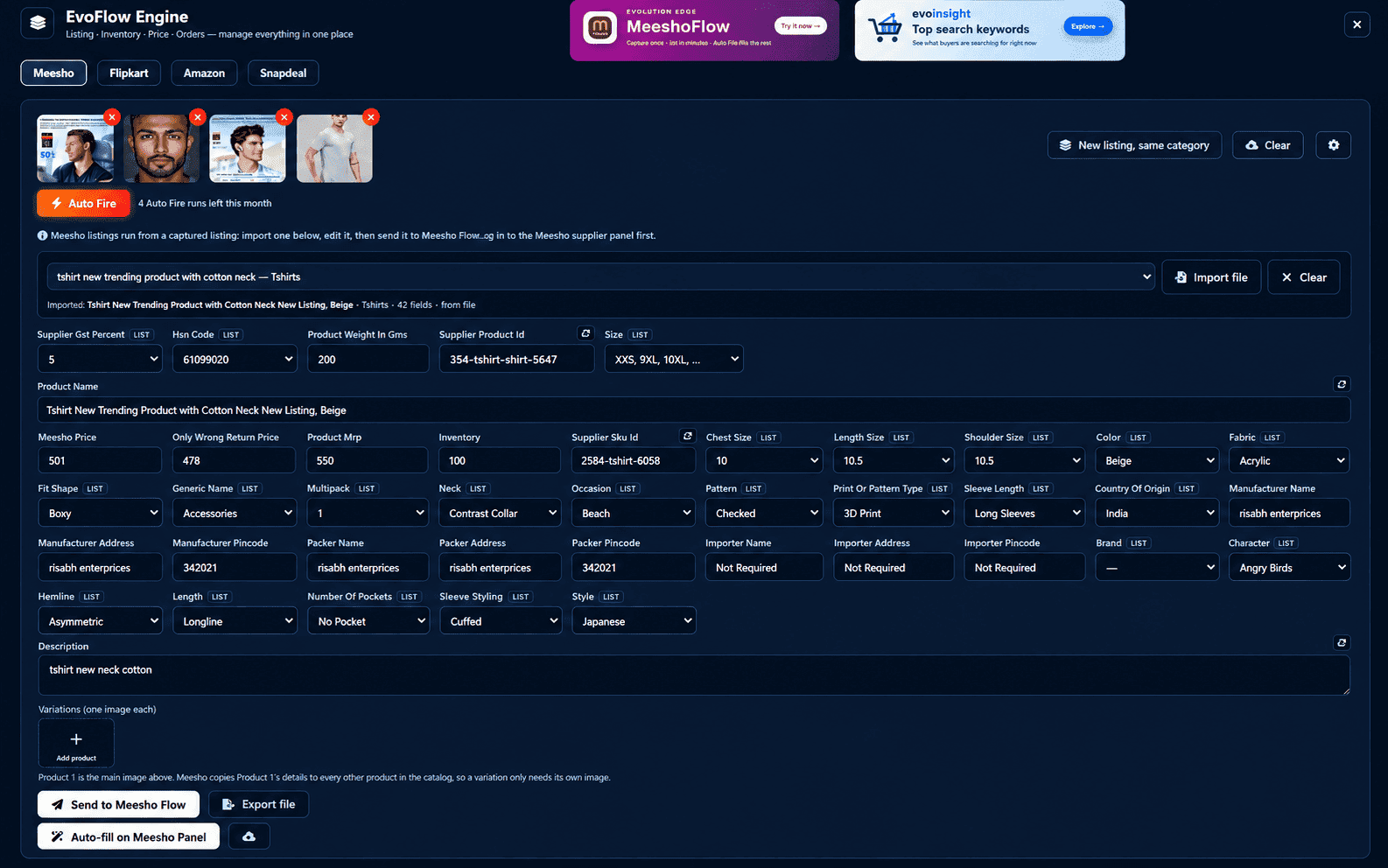
What the Meesho auto listing tool does for you
Fills from photos, not a saved template
Auto Fire looks at each product's photos, so a kurti and a kitchen tool each get their own fields — not one copied profile.
Real Meesho category fields
Capture a listing from your Meesho panel with its real, category-specific fields. Dropdowns are matched to Meesho's own options.
Variations with one photo each
Meesho copies Product 1's details across the catalog, so each variation only needs its own photo.
Bulk listing: up to 10 copies per run
Bulk-list one product as several Meesho listings in a single run, with titles and descriptions generated so they do not come out identical.
Shipping optimization
Pick the shipping window you will accept, and EvoFlow keeps only the variants that land inside it.
No API keys, no password sharing
It works through the Meesho supplier panel you are already logged into. Nothing to register.
Manual Meesho listing vs MeeshoFlow
Meesho autolisting tool vs Chrome extensions
Chrome extensions like InfigrowAI Listing Autofill, EcomFriendly, ListMagic, Ecomdost and MeeshoPilot help Meesho suppliers too. Most of them save a profile once and replay it; a few add AI. We compared what each one fills, how it is priced and where MeeshoFlow is different — and where an extension may suit you better.
Read the full comparison →MeeshoFlow comes with every EvoFlow plan
Try it on the Free plan (30 days, one copy per run). Paid plans start at ₹199 per month, with 6-month and lifetime options. One app for Meesho and Flipkart listing.
See EvoFlow plans →Meesho autolisting tool — FAQs
Stop filling the same Meesho form twice
Download Evolution Edge, open EvoFlow, and let Auto Fire fill your next Meesho listing.